
Pilotiko, the virtual office for small businesses
Version in effect on .
In short
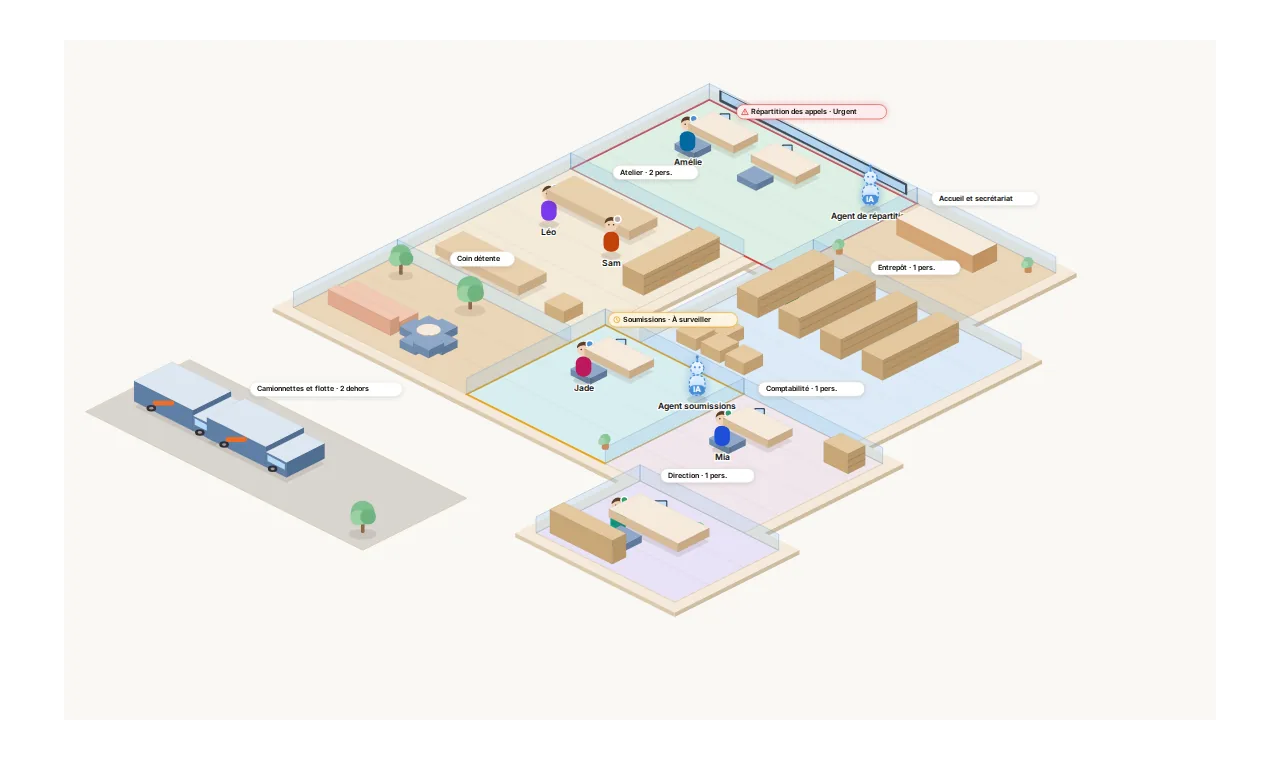
- Pilotiko is a web application for small and medium-sized businesses: a virtual office where you see the whole business, its employees and its AI agents, with urgent matters and tasks in the right place.
- For owners, managers and employees of service and product businesses, in Quebec first.
- AI agents prepare the work from the business's real data; a person approves everything that matters.
What Pilotiko does
- The office: each department is a room, each person and each AI agent has a desk; what is urgent appears where it happens.
- Scheduling and clients: appointments, services, client records, reminders.
- Assistant and AI agents: answer a question about the business, draft an email, summarise a meeting, sort an incoming request. Risky actions wait for a person's approval.
- Basic accounting: invoices, expenses, receipts, taxes.
- Phone assistant (if enabled): answer calls, take messages.
- Connections: link the tools the business already uses (Google Calendar, Gmail, Outlook, Zoom…).
Why Pilotiko asks for access to Google
Only if you choose to connect your Google account, from your business's Connections page:
- Google Calendar: add to your calendar the appointments and meetings you schedule in Pilotiko, update or cancel them, and take your availability into account.
- Gmail: send from your address the confirmations and reminders you requested or approved. Pilotiko does not read your inbox.
The scope details, Limited Use and revocation are described in the Google user data section of the Privacy Policy.
How Pilotiko uses your data
- Only to run the features you use. No selling, no advertising, no trackers.
- Each business is isolated from the others at the database level.
- Your clients' data stays yours; Pilotiko processes it for you (processing agreement).
Read the Privacy Policy · the Terms of Service · the Trust Center.
Get started
30-day free trial, no credit card. Create my account
Questions: [À COMPLÉTER: courriel général public, ex. [email protected]].
Change history
| Date | Change |
|---|---|
| First published version. |
Printable version: use your browser's Print function.